This post is really just me playing around with a technique – using mirrored water in Second Life to create reflections. I had seen the tutorial by Strawberry Singh many times, but I had never attempted it before. But earlier today, one of my images from Flickr was invited to be included in the Magical SL Reflections group. I was captivated by so many of the photos there that I wanted to try myself.
I did go through the other tutorials listed on Berry’s page, and they were helpful. I am still having problems finding the right light settings (in fact, I actually tweaked one of the presets in Firestorm, although I can’t remember which one!) and I am having issues with jagged edges, even shooting at a high resolution (6144 X 4368). I discarded quite a few shots while I was experimenting and finally hit upon the one above that I felt was good enough to play with in Photoshop and finally, Picmonkey. I don’t love it, but I don’t hate it either.
I have now read through the comments (lol yeah, I probably should have done that first) and there are a couple of tips I may try out. And oops! – I was in such a rush to start playing with the photos today, I forgot to grab my credits (insert blushy face here). However, I can tell you the dress is by Rebel Hope and available at FaMESHed, the hair is from Emo-tions, my skin is Jade by [PXL] Creations, feet and hands are by Slink and I really don’t remember which pose I used 😦 Sorry! I promise to do better next time!
The flamingos have been wandering in the lily pads at our home since before we moved in. I’m grateful they didn’t fly away when I got so close 🙂
Staying in bed just seems like the best thing to do.
Pretty stuff I’m wearing:
From The Arcade:
{vespertine- acorn bed} RARE by Gloomy Cloud (available at The Arcade September 2013) (poses from the bed)
Dress: Tee*fy Aurora Nightdress Peach by Azure Electricteeth (Available at The Arcade September 2013)
Necklace: GizzA – Electra Set [White] Single Necklace by Giz Seorn (Available at The Arcade September 2013)
Shoes: Ingenue :: Paola Flats (Slink Add-On) :: Blush by Betty Doyle (Available at The Arcade September 2013)
Hair: “”D!va”” Hair “Giz” (Type A)(Garnet) by Marisa Kira (Available at The Arcade September 2013)
Other:
Eyes: Amacci Gaze Eyes – Ocean Blue by Carina Larsen
Skin: [PXL] Creations [PXL] JADE SK WineLight Lips MEB C2 by Hart
Larsson
Hands: Slink Mesh Hands (av) Casual by Siddean Munro
Feet: Slink Mesh Feet (Av) Flat by Siddean Munro
Hand & Feet Appliers: [ PXL ] Creations [ PXL ] Slink Hand & Feet Appliers SK
StrawberrySinghHeadshot + LumiPro Lee Filter Catalog Bright Rose 0.4
I kind of giggled when I read the questions that accompany Berry’s meme challenge this week. Most of them can be answered with “I don’t know.” I’ve mentioned in the past that I don’t save the metadata for my photos, so knowing which Windlight setting I use is kind of a mystery…even to me. I will do my best, though, to answer the questions with more than just, “Why are you asking me?”
I, like Berry, have done very little editing of my photos, other than cleaning up the edges a bit. I haven’t made any adjustments to the lighting or shadows at all. WYSIWYG with these pics (which is a far cry from what you usually see here!).
Here’s what we were asked to do:
Meme instructions: Answer the following questions about windlight settings and share some that you’ve created yourself. Don’t forget to leave a link to your post in this meme’s comments.
1. Do you use windlight while taking pictures? If not, why not? I can answer this one – Yes! I am obsessed with it. Thankfully, in the Firestorm viewer I can easily access their extensive collection directly from the Quick Preferences so it’s as easy as scrolling through them.
2. When taking a closeup snapshot for a profile picture, which windlight preset do you use most often? Sighs. Here we go. “I don’t have a clue.” OK, I can tell you which groups of settings I tend to use, but I normally get my angle set and then do several shots using various Windlight settings. I use the Luna Jubilee, JuicyBomb.com and Strawberry Singh presets that I stole downloaded from Berry’s tutorial page, but I also use the group of Places presets loaded into Firestorm. Some of my favourites are Places Greed, Places Greed 2, Places Old New York, Places Paris and Places Paris 2.
3. Which windlight presets do you use for full body portraits? “Am I really supposed to know this???” OK, I use the ones above, expanding the choices from the Places group, depending on the subject, location and mood I want to portray. I like Places Sand, Places Pathfinder and Places Abracadabra (there are three of these). If I want a really cool shot, I sneak into the Phototools section and try out the Hufflepuff, Owlery Light or Puppy Light settings.
4. If you do landscape photography, which windlights do you use for that most often? *Looks around blankly* Landscape photography is not my strength and I really don’t do it that often. However, I have been working on it a bit more lately, largely thanks to last week’s meme. I use the same method with landscape photography that I do with portraits – find the angle then scroll through the Windlight settings until I find something I like. I start with the Places group then expand from there. The Places series were created by Chic Aeon and I’m eternally grateful to her for these settings AND that they have been pre-loaded into Firestorm! And I occasionally venture into Torley Linden’s settings, as well.
5. Do you have any tricks or tips that you could share for using Windlight effectively? Actually, yes! This is my “cheat”. I have been using the LumiPro HUD for all of my portrait work – whether it is myself or a client. This works especially well with body shots, but I will make adjustments for closeups if, for instance, I like the overall shadows but the face or body is a bit too dark. I use this system in place of static studio lights because the lights move with the model. If you have ever gotten lighting just right, then changed the pose and had to start all over again, you’ll understand why this feature is so important – and a massive time-saver. And with the upcoming changes to the system, you will have even more lighting choices (I did a full review on the beta version I am helping test for Stefan by clicking this link.) Here is an example of how using the LumiPro can help you adjust your lighting without having to go into the Environment Editor (which is no-man’s land for me).
StrawberrySinghHeadshot (No filter)
StrawberrySinghHeadshot + LumiPro Lee Filter Catalog Bright Rose 0.1
StrawberrySinghHeadshot + LumiPro Lee Filter Catalog Bright Rose 0.2
StrawberrySinghHeadshot + LumiPro Lee Filter Catalog Bright Rose 0.3
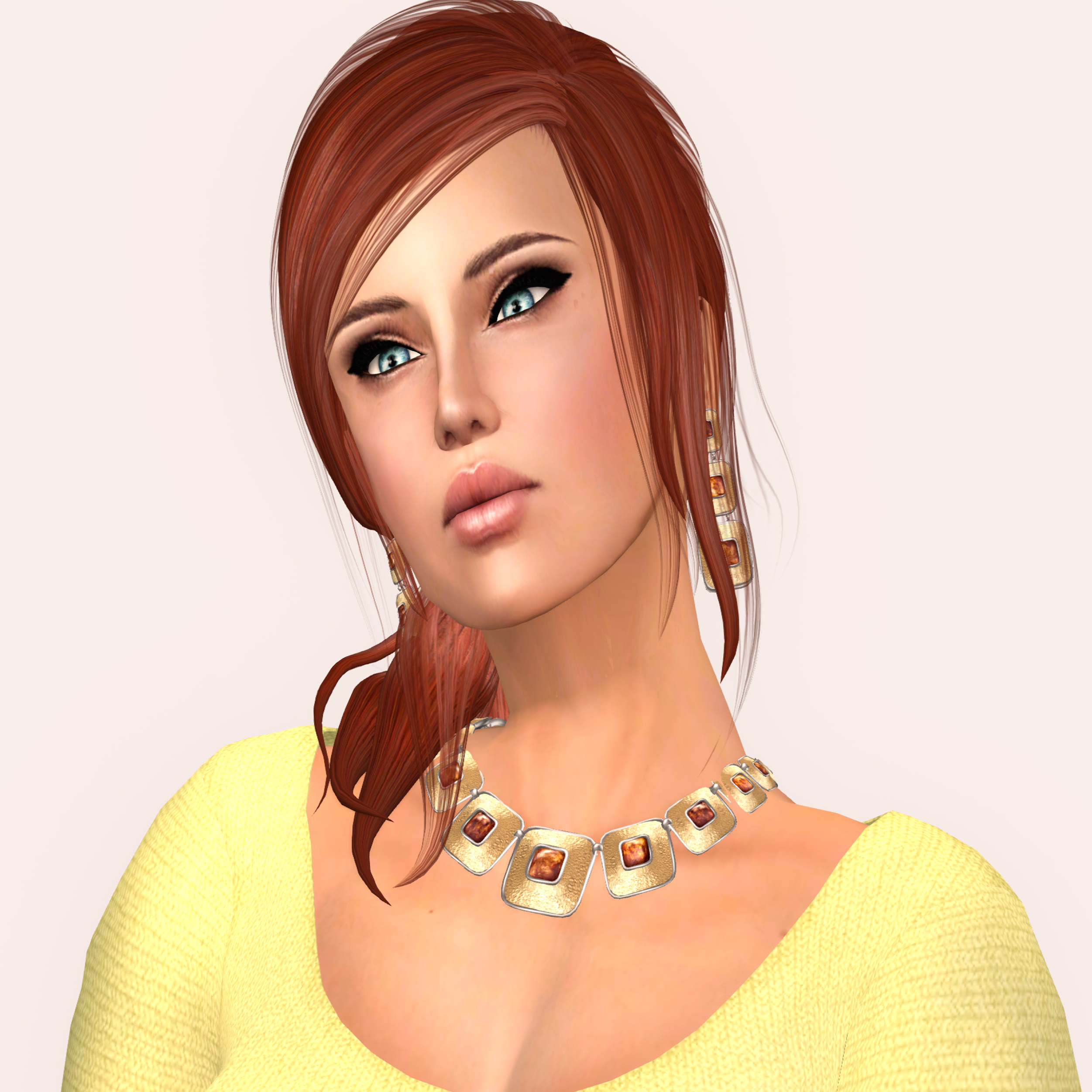
StrawberrySinghHeadshot + LumiPro Lee Filter Catalog Bright Rose 0.4
StrawberrySinghHeadshot + LumiPro Lee Filter Catalog Bright Rose 0.5
As you can see if you hover over each photo, I have used StrawberrySinghHeadshot as my base Windlight setting. But by adjusting the intensity of the LumiPro Lee Filter Catalog Bright Rose from 0.1 to 0.5, I instantly have variations in the lighting (I chose 0.4 for my lead photo since I hadn’t planned on any post-processing for publication). Seriously, if you struggle with the Environment Editor like I do, this is the best tool ever for portrait photography! You can check out my blog post for more details on how to test it and buy it, or pop over to the LumiPro blog or check out the LumiPro Flickr group for photos uploaded by LumiPro users.
(While the particular filter I am using in these photos are not available in the current version of LumiPro, the new release is expected in about a week and you will receive the update automatically upon wearing the HUD if you purchase it now. And no, this is not a paid endorsement – I just really, really LOVE this product!)
6. Have you created any windlights that you would be willing to share with us? Another question I can answer! lol Um…no. I have played with the editor a bit in the past, but as you can probably judge from my previous answers, I avoid that sucker like rezzing a no-copy item on rolling restart day!
I’m going to step outside the boundaries of the meme and ask my own question!
7. What Windlight setting do you use for generally bopping around Second Life? If I’m not shooting photos, I drop my settings from Ultra to High and use the CalWL setting. I like the brighter setting for shopping, working in the club, getting dressed or just puttering around. If I go to explore a sim I am unfamiliar with I will change to the sim default lighting, but it is not unheard of for me to turn on ALM and scroll through my settings to find something more to my liking. I may not know much, but I do know what I like…even if it sometimes takes me a while to figure it out 😉
Gah! I forgot the credits!
Pretty stuff I’m wearing:
Top: Immerse – Spring Top – SunShine by Lilly Juno
Jewelry: EarthStones Maxine Necklace & Earrings – Larimar by Abraxxa Anatine
Hair: *ARGRACE* Lily A – Red by rika Oyen
Eyes: Amacci Gaze Eyes – Ocean Blue by Carina Larsen
Skin: [PXL] Creations [PXL] JADE SK WineLight Lips MEB C2 by Hart
Larsson
Lips: [PXL] Creations – [PXL] JADE LipGloss #1 by Hart Larsson